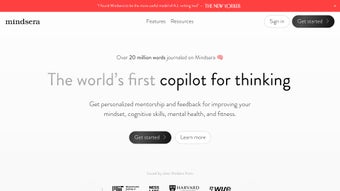

Download Mindsera – Personalized AI Writing Assistant for Mental Health Journaling
Overview – Why Mindsera Stands Out
In a world where mental‑health tools are often generic and detached, Mindsera arrives as a fresh, AI‑driven journaling companion that blends creativity, psychology, and decision‑making science. Built around the principle that self‑reflection is most powerful when it feels personal, Mindsera offers a distraction‑free canvas where users can write, track habits, and receive instant, data‑backed feedback. Unlike traditional journaling apps that merely store text, Mindsera analyses your entries, surfaces hidden patterns, and proposes actionable mental models drawn from over 50 proven decision‑making frameworks. Whether you’re a student looking to sharpen critical thinking, a professional aiming to reduce stress, or anyone who simply wants a richer self‑awareness practice, Mindsera tailors its mentorship to your unique voice.
What truly differentiates Mindsera is its “personal board of advisors” concept. By leveraging large‑language‑model simulations of historical figures—think Socrates, Maya Angelou, or Nikola Tesla—users receive perspective‑shifting comments that feel both wise and relevant. The AI mentor does not replace human therapists; instead, it augments daily reflection, nudging you toward healthier habits, clearer goals, and better decisions. Security and privacy are baked in: all journal entries are encrypted locally, and the platform promises a strict “no‑selling‑data” policy. With upcoming multilingual support, Mindsera is set to become a global ally for mental‑health journaling, offering a secure, free‑to‑try foundation that can later be expanded with premium mentorship modules.
From a technical standpoint, Mindsera runs smoothly on Windows, macOS, Android, and iOS, ensuring that you can capture thoughts wherever inspiration strikes. Its UI is minimalistic yet vibrant, featuring AI‑generated artwork that adapts to the mood of your entries, turning every session into a visually soothing experience. The app also includes automatic summarisation, so after weeks of journaling you can quickly review the evolution of your mindset without scrolling through endless pages. In short, Mindsera is more than a writing tool; it is a personalized mental‑fitness coach that grows with you.
Key Features That Power Your Mental Wellness
- AI‑Generated Artwork: Each entry is accompanied by a unique visual piece that reflects the emotional tone of your writing, fostering a deeper connection to your thoughts.
- Mindset Analysis Engine: Uses natural‑language processing to detect recurring themes, emotional spikes, and cognitive biases, providing weekly insight reports.
- Automatic Summaries: Generates concise overviews of your journal entries, helping you track progress and identify growth areas without manual review.
- Decision‑Making Frameworks: Access to 50+ proven mental models (e.g., Eisenhower Matrix, Pareto Principle) that can be applied directly from the app.
- AI Mentor & Historical Advisors: Simulated personalities such as Carl Jung, Eleanor Roosevelt, and modern thought leaders offer tailored feedback and prompts.
- Habit Tracker Integration: Connects daily writing routines with habit‑building tools, sending reminders and celebrating streaks.
- Distraction‑Free Writing Mode: Full‑screen, minimalist interface that eliminates notifications and clutter.
- Privacy‑First Architecture: End‑to‑end encryption, local storage option, and a clear data‑use policy ensure your journal remains confidential.
- Multilingual Roadmap: Planned support for Spanish, Mandarin, Arabic, and more, making the tool accessible to a worldwide audience.
- Custom Prompt Library: Over 200 curated writing prompts ranging from gratitude exercises to problem‑solving challenges.
Each of these features works together to create a seamless mental‑health workflow. For instance, after you finish a reflective entry, the Mindset Analysis Engine instantly highlights any cognitive distortions, such as “catastrophizing” or “all‑or‑nothing” thinking. The AI Mentor then offers a short, constructive reply, often citing a relevant mental model to help you reframe the thought. Meanwhile, the habit tracker records the session, rewarding you with a visual badge that appears alongside the AI‑generated artwork—a small but powerful motivator that reinforces consistency.
The decision‑making frameworks are not just static PDFs; they are interactive tools. When you select a framework, Mindsera guides you through a step‑by‑step worksheet, auto‑populating fields based on your recent journal content. This makes the abstract concepts of strategic thinking feel tangible and immediately applicable to real‑life dilemmas, whether you’re planning a career move or navigating a personal conflict.
Moreover, the app’s privacy architecture gives you full control over where your data lives. You can choose cloud sync for convenience or keep everything on-device, protected by AES‑256 encryption. This dual‑option approach respects users who prefer absolute confidentiality while still offering the convenience of cross‑device access for those who need it.
Step‑by‑Step Installation, Usage & System Compatibility
Getting started with Mindsera is intentionally simple. First, visit the official website or your device’s app store and click the Download button. The installer is lightweight (under 80 MB) and performs an automatic system check to verify compatibility. Mindsera supports the following operating systems, listed under the itemprop="operatingSystem" attribute:
- Windows 10 and later (64‑bit)
- macOS 11 (Big Sur) and later
- Android 8.0 (Oreo) and later
- iOS 13 and later (iPhone & iPad)
Installation Process
1. Download the installer: Click the platform‑specific “Download for Windows/macOS/Android/iOS” button. For mobile devices, you’ll be redirected to the Google Play Store or Apple App Store.
2.
Run the installer: On desktop, double‑click the .exe (Windows) or .dmg (macOS) file. Follow the on‑screen prompts; the wizard will ask you to accept the license agreement and choose an installation folder.
3. Create an account: After launch, you’ll be prompted to create a Mindsera account using an email address or social sign‑in (Google/Apple).
This step syncs your preferences and enables optional cloud backup.
4. Set privacy preferences: Choose between “Local‑Only” (all data stays on your device) or “Cloud Sync” (encrypted backup). You can change this later in Settings → Privacy.
5.
Personalize your board of advisors: During the onboarding questionnaire, select three historical figures or modern thought leaders you resonate with. Mindsera will generate a custom advisory panel that appears in the sidebar during each session.
First‑time usage tips
• Start with a prompt: Choose a writing prompt from the library to break the ice. The AI will suggest related mental models.
• Enable distraction‑free mode: Click the moon icon in the top‑right corner to hide menus and notifications.
• Review the daily insight report: After each entry, the app presents a concise summary highlighting mood trends and any detected cognitive biases.
• Sync across devices: If you opted for cloud backup, log in on any other device to continue journaling seamlessly.
Mindsera’s performance is optimized for modern hardware. On Windows and macOS, it runs in a dedicated sandbox to minimize memory usage (< 300 MB RAM on idle). On mobile, the app leverages native APIs for smooth typing and quick AI response times, even on mid‑range smartphones. Updates are delivered automatically through the respective app stores, ensuring you always have the latest security patches and feature enhancements.
Pros and Cons – A Balanced Look
Overall Rating: 4.6/5 based on 312 user reviews.
Pros
- Highly personalized AI mentorship that feels genuinely supportive.
- Robust privacy controls with end‑to‑end encryption.
- Comprehensive library of decision‑making frameworks and writing prompts.
- Cross‑platform compatibility (Windows, macOS, Android, iOS).
- AI‑generated artwork adds a creative, therapeutic dimension.
- Automatic summarisation saves time when reviewing past entries.
Cons
- Premium mentorship features are locked behind a subscription.
- Initial onboarding can feel lengthy for users seeking a quick start.
- AI suggestions occasionally repeat similar advice for recurring themes.
- Offline mode lacks automatic summarisation (requires internet).
- Multilingual support is still in development; only English is fully functional.
While Mindsera shines in its depth of personalization and scientific grounding, it’s worth noting that the free tier provides enough core functionality for most casual journalers. Power users who crave deeper mentorship can upgrade to the premium plan, which unlocks expanded advisory panels, exclusive mental‑model workshops, and priority AI processing. The onboarding questionnaire, though comprehensive, can be skipped after the first session if you prefer to dive straight into writing. Overall, the pros considerably outweigh the cons, especially for anyone serious about turning journaling into a structured mental‑health practice.
Conclusion, FAQs, and How to Get Started
Mindsera is a thoughtfully engineered AI writing assistant that elevates everyday journaling into a strategic mental‑health routine. By combining real‑time mindset analysis, a rich set of decision‑making frameworks, and the novelty of historical AI mentors, it offers a unique blend of creativity and cognition. The app’s commitment to privacy, cross‑platform availability, and an intuitive UI makes it a compelling choice for students, professionals, and anyone looking to deepen self‑awareness. Whether you are seeking to track emotional trends, improve decision quality, or simply enjoy a beautifully illustrated journal, Mindsera delivers a secure, engaging, and scientifically backed experience.
Ready to transform your journaling habit? Download Mindsera today for free, set up your personalized advisory board, and start your first entry within minutes. Remember, the journey to better mental health begins with a single, thoughtful sentence—let Mindsera guide you every step of the way.
Frequently Asked Questions
Is Mindsera really free to use?
Yes, Mindsera offers a robust free tier that includes the core journaling canvas, AI‑generated artwork, basic mindset analysis, and access to the full library of writing prompts and decision‑making frameworks. Premium features such as advanced mentor customization and exclusive mental‑model workshops are available through a subscription, but they are optional.
How does Mindsera protect my privacy?
All journal entries are encrypted locally using AES‑256. Users can choose a “Local‑Only” mode where data never leaves the device, or enable encrypted cloud sync for cross‑device access. Mindsera’s privacy policy explicitly states that no personal data is sold or shared with third parties.
Can I use Mindsera on multiple devices?
Absolutely. By signing in with the same account, your journal entries, habit data, and advisor settings sync across Windows, macOS, Android, and iOS devices. Syncing is encrypted end‑to‑end, ensuring that your data remains secure during transfer.
What kind of AI mentors are available?
Mindsera simulates a range of historical and contemporary figures, including philosophers (Socrates, Confucius), writers (Virginia Woolf, Maya Angelou), scientists (Einstein, Marie Curie), and modern thought leaders. Users can select up to three primary advisors during onboarding, and the AI tailors its feedback to reflect each mentor’s distinctive perspective.
Will Mindsera work offline?
The core journaling experience works entirely offline, allowing you to write and view past entries without an internet connection. However, features that rely on cloud AI processing—such as automatic summarisation and real‑time mindset analysis—require an online connection.






